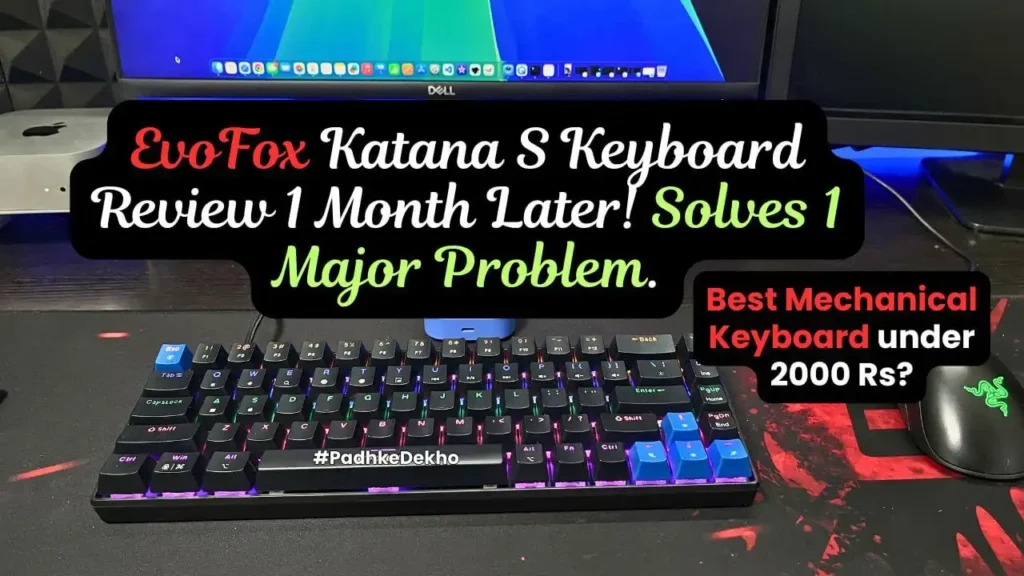
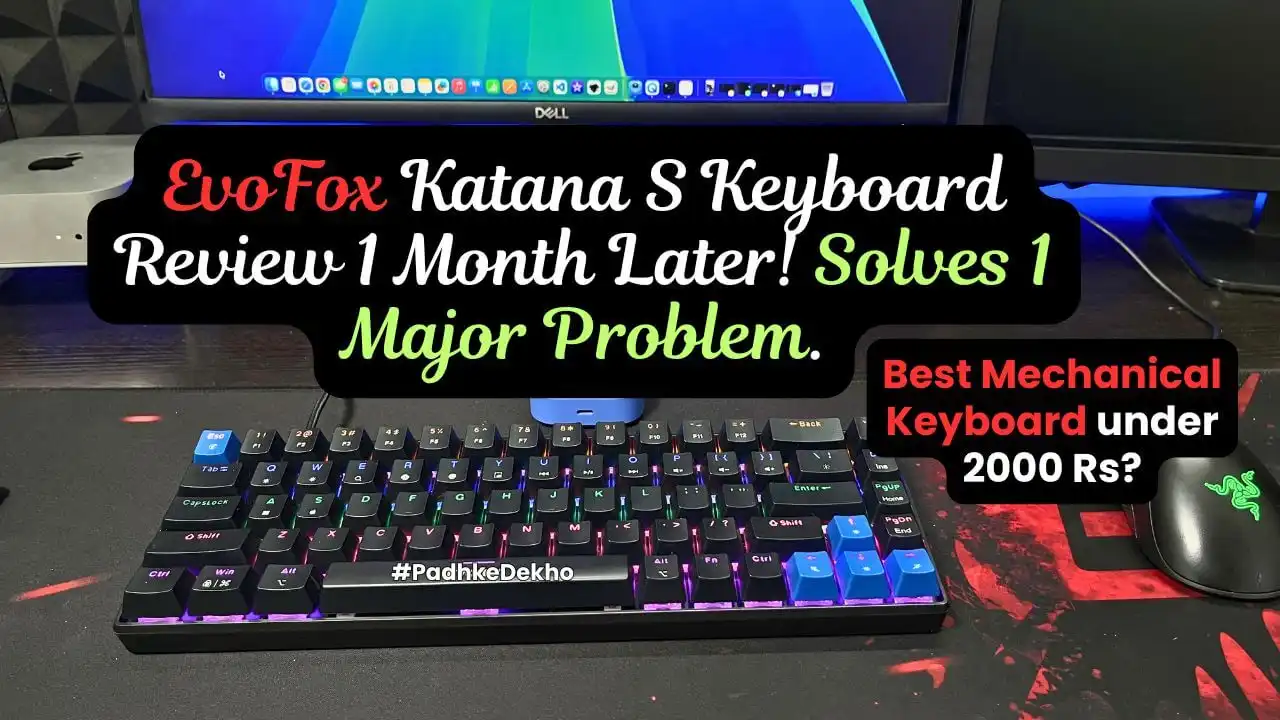
This is the most underrated mechanical keyboard under 2000 Rs. But it’s the only option for a specific user under 2000 Rs. Are you the one? I’ve been using it for over 5 months, and this EvoFox Katana S Mini review [wired] has all the reasons to buy and avoid.
Hey there! Welcome to Padhkedekho, where we buy and use a product for a month (or longer) before sharing the detailed review or comparison. It gives readers like you insights that help in their decision-making.
Since we don’t do sponsored content, everything you read and watch at PadhkeDekho is 100% customer-centric.
As a support to us, you can check out and buy this product from Amazon using the links on the page. It will help us with a small commission at no additional cost to you. Let’s begin the EvoFox Katana S Mini review with pros and cons.
EvoFox Katana S Wired Keyboard Pros & Cons
PROS
- Good built quality
- Very compact design
- Mac & Windows Keys layout
- Very little plastic flex
- Moderate backlit effect
- 18 Rainbow effects
- The Type-C braided cable is good
- Very comfortable to type and game
- Typing is very quick and smooth
- Keyboard elevation is comfortable
- Good multimedia options
CONS
- No Numpad
Who Should Buy the EvoFox Katana S Keyboard?
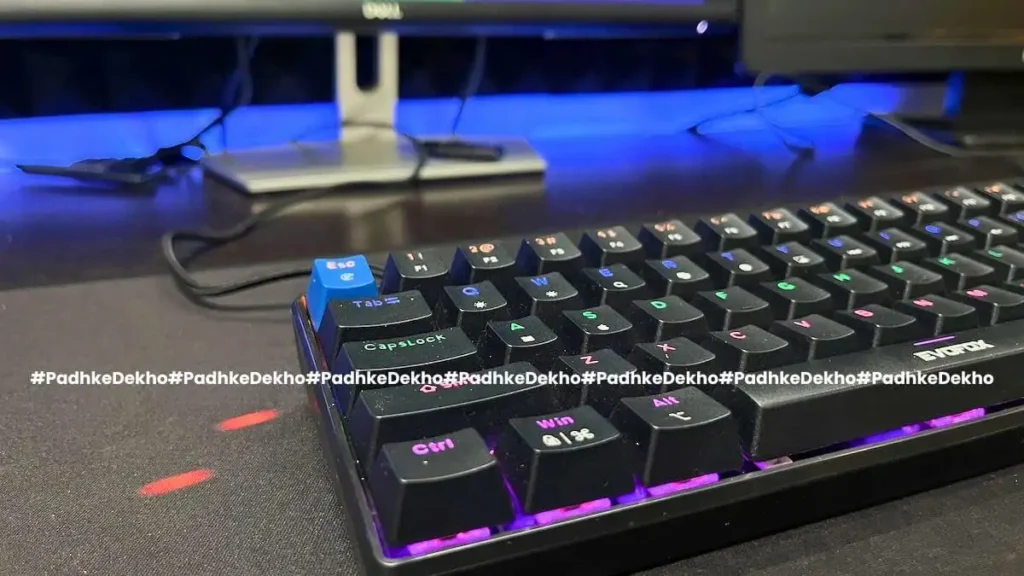
If you have a Mac computer and are looking for a Mac layout mechanical RGB keyboard under 2000 Rs, then it is the best. I really spent so much time finding a keyboard like this for my Mac Mini M4.
Don’t get me wrong, the key layout is also well-suited to Windows/Linux Operating Systems. With just a press of fn + “A” on Windows and fn + “S” on Mac, the shortcuts are available. No one is left behind!
Are your primary needs gaming and working? Then, it’s great. The keys are soft (very soft if coming from a membrane keyboard). Here’s more about work experience and gaming experience.
If you intend to mod a keyboard later on, this keyboard is for you. It comes with Red hot-swappable keys, hence you can replace the red switches without much effort.
This keyboard is smaller, helps with compact spaces, and most importantly, adds convenience during travel.
The 18 dynamic RGB makes it very special in this price range. You can spend time with it and find your favorite one. It keeps the current preset as standard.
With the fn key + “\|”(below the back button), you can play around with the pre-defined modes. If you do not want RGB, press fn + “`~” (next to the back button) to turn it off completely.
The keyboard offers 68 anti-ghosting keys, which means that you can press more than 5 keys while gaming.
Who Should Avoid the EvoFox Katana S Keyboard?
There’s no elevation control or height adjustment, hence the height is static and cannot be changed. You will get used to it, though. So, opt for this if you have above medium to large hands. The keyboard does not offer a number pad. You are stuck with the top number keys.
RGB lights are there and are sufficiently bright in well-lit studios to super dark environments. Not the strongest in the price range, though.
It goes without saying that a compact keyboard is not for everyone. If your use case includes the numpad and good key travel, then this is not the one for you.
After 5 months of use, the keyboard got an issue and here’s the overall service experience that you should check out before buying Amkette or EvoFox products!
Built Quality (4.5/5)
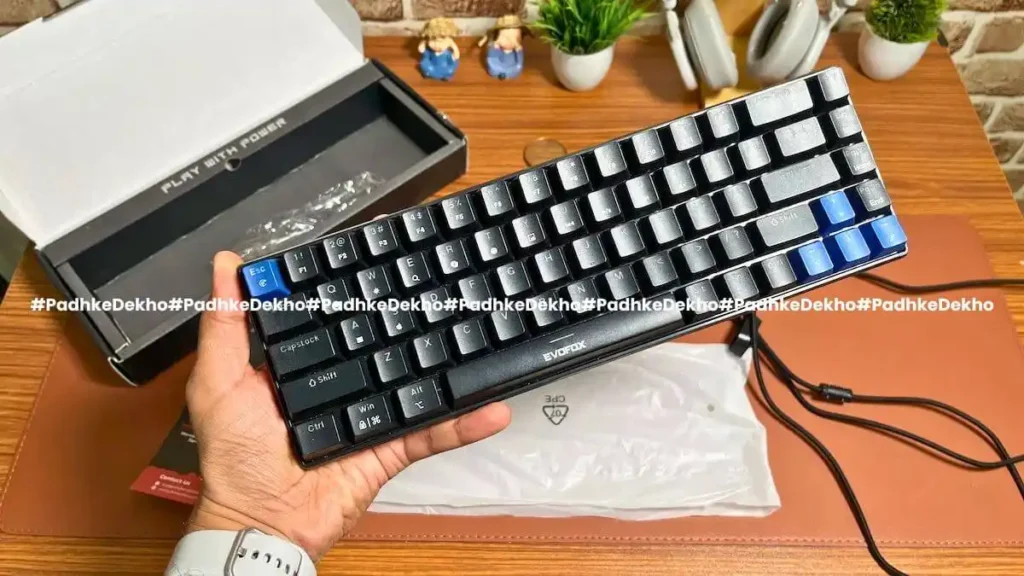
If you are coming from a membrane keyboard, then you would find this very premium. The keyboard will also feel heavy with very little frame flex.
The braided cable, which features a regular USB 2.0 on one side and a Type-C on the other, makes it most compatible with newer as well as older devices.
Since the Mac Mini M4 doesn’t offer any USB 2.0 ports, you would require a Type-C hub. I’ve been using one form Amkette for a little over 6 months, and it’s a must-have accessory for the Mac Mini M4.
After 1 month of daily use, the key caps are of good quality for the price. One more thing, there’s no printing of all the letters or labels on the key caps. There’s a plastic plate inside the keys. Hence, there will be no fading of fonts!
The back of the keyboard is also plastic, and it doesn’t feel cheap or low quality. Surprisingly, for the price, it is quite good.
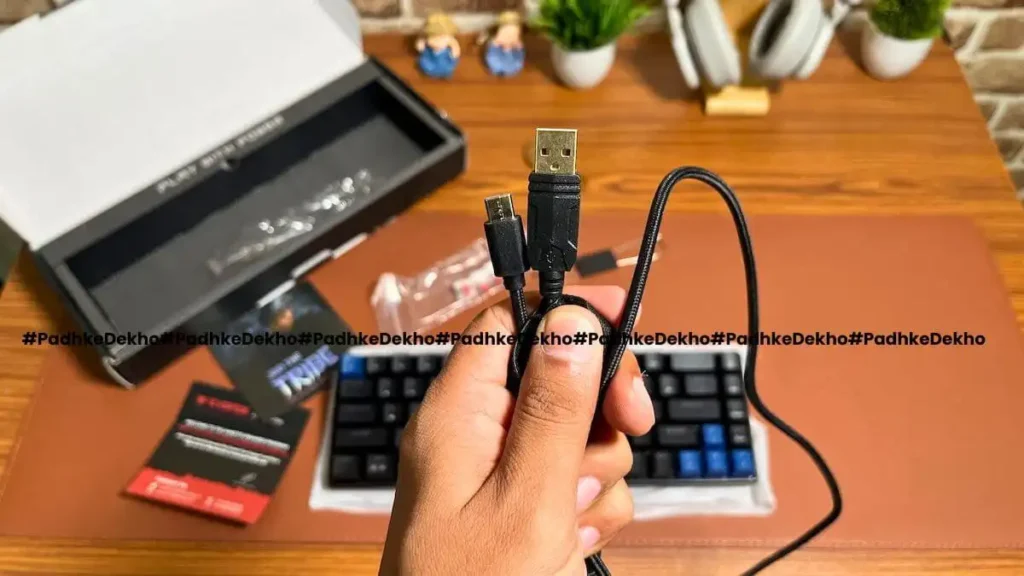
Both cable ports are gold-plated and really enhance the overall build of the keyboard. I would not give it 5/5 for build, since the cable feels a little loose from the Type-C connection. Though it does not get disconnected or something.
Hence, for built quality, I would give this a 4.5/5.
EvoFox Katana S Wired Looks (5/5)
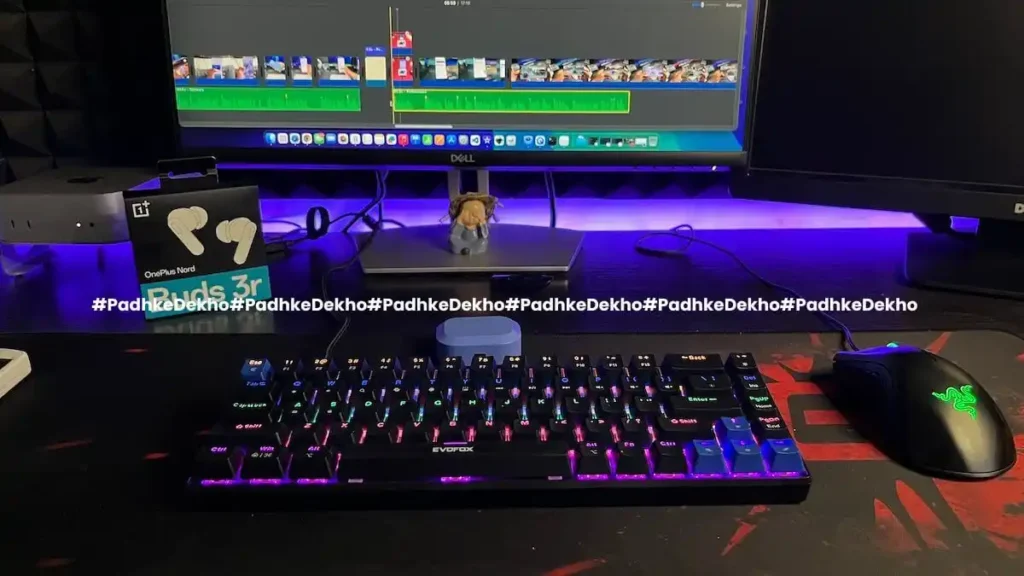
It comes in two color options: black or white. If you are team white, you can go with white, and vice versa. Since mine is black, I went with the latter one.
Before this, I bought an Amkettke Optimus XL (Review), which was white and solved a different need, but this made my setup a notch above.
Since the keyboard is RGB, there are colors like Orange on top, followed by Blue, then Green, Pink & Purple. So many colors to work with. You cannot change the colors, but there are 18 RGB effects to choose from. Here’s more about it.
The ESC and Arrow keys are Blue while the rest of the keys are Black or White as you go with. There’s the evoFox branding on the spacebar and a fox on the side of the keyboard, as shown here.
So, in terms of looks, the keyboard looks very good, and the braided wire makes it more premium. It does look and feel quite premium on a gaming setup. Hence, for looks, I would give it 5/5.
[User Experience From a Membrane Keyboard User]
Like you, I have heard a lot about mechanical keyboards. Since I was planning to upgrade to an RGB keyboard with Mac and Windows layout, the EvoFox Katana S Wired keyboard ticks all the boxes.
So, does the mechanical keyboard make sense? Is it truly better than the membrane, or is the cost justified? Let’s talk about it.
Yes, the mechanical keyboard feels very different. The keys do make a good sound. Red switches make less noise; in fact, they are generally silent next to Blue ones. Buttons feel soft and do not require much force.
Even the slightest tap is addressed. In the beginning, you are gonna make typing mistakes. The enter key might feel small, and “hard to guess” the back button! And with a few hours of use, you will start getting the key placements.
Unlike a membrane keyboard, where the left Shift/right Shift key or the Ctrl gets snagged and only addressed from the center of the button. Here, a simple tap does the trick.
So, the mechanical keyboard does make a ton of difference, and if you are in the budget of above 1400 Rs, then getting one is the right call.
Another special feature of the EvoFox Katana S is the red-hot swappable switches, which means you can actually upgrade to different switches, like the brown or blue ones.
Are there no shortcomings? Yes, there are, sort of! Here are the types of switches found on mechanical keyboards.
Types of Switches for Mechanical Keyboards?
| Color | Pros | Cons |
|---|---|---|
| Red | Speed & Accuracy Quiet | Less tactile feedback |
| Blue | Tactile feel is even less than Red switches | Noisey Slightly slow response while gaming |
| Brown | Best of both words | Tactile feel is even lesser than Red switches |
Typing, Usability & Comfort (Work Experience)
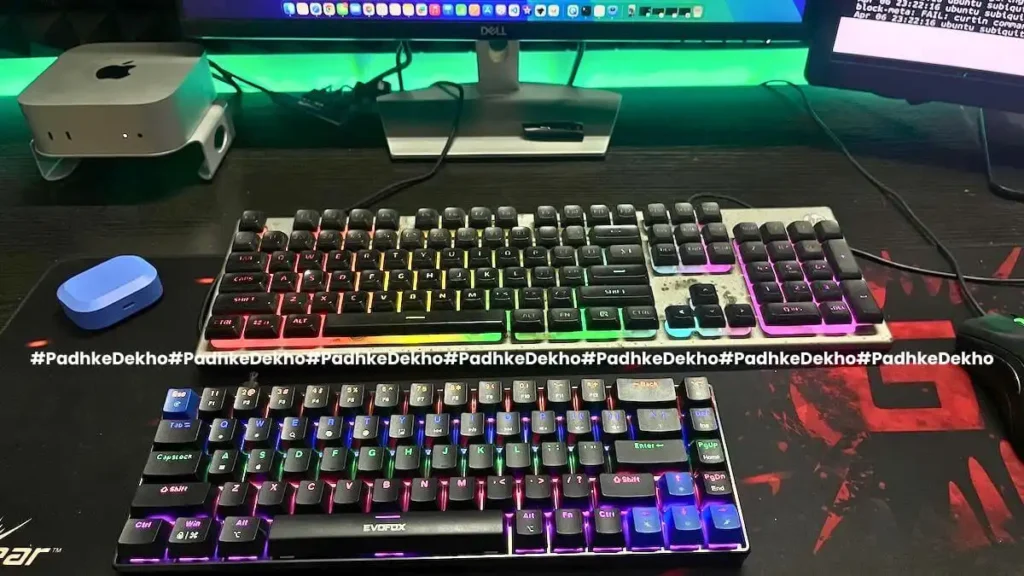
Since it’s a 60% compact keyboard, the brand actually behaves like this! Here’s a picture next to HP K500F
(Review), which is a membrane keyboard, around 1200 Rs. Just see how small and without a Numpad it looks! Not just that, the key travel is also short.
So, you might make more typing mistakes. Not able to find the Back or Shift key; pressing Page Down instead of the UP arrow. After 1 month of testing, I am quite confident to type without looking at the keyboard.
My only challenge even today is with the Right Shift key. I reach Enter instead of that. Guess it will take more time?
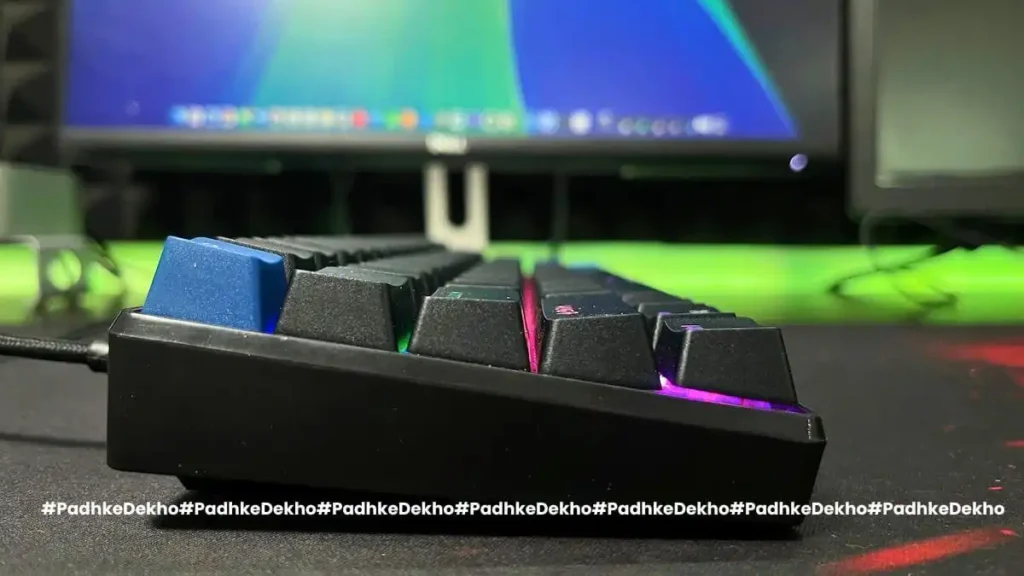
Coming back to the keys, they are raised and sloping down with upward elevation as shown above. Within no time, you will get the hang of it, and whether it’s gaming or work, you will enjoy every single stroke. And curse yourself, why didn’t you go the mechanical way all along!
The elevated keys help reduce key travel; as a result, typing does not feel tiring after work or a long gaming session. And the more time you spend on this keyboard, the harder it will be to go back to a membrane keyboard.
The keys only need direction, and typing is forceless. I’ve used it for long game sessions as well as work, and the keyboard really survives.
I have done my share of gaming and work using this keyboard. Let’s talk about the gaming experience after discussing the RGB effects and customizations.
RGB Effects & Customisations
As for RGB, you get 18 presets which cover most of the possibilities. Some static effects stay the same as you type. While other effects are dynamic. You can switch between them with the fn+ “\” (backslash button).
While some are dynamic with effects while typing. You can choose as per your need. The RGB is bright under studio lights as well as dimly lit areas.
There’s even a middle which makes the keyboard off. Only glows while typing. Wow! This keyboard offers so much RGB control.
However, the keys do not have cutouts for the alphabet, hence they feel a little unclear, especially the keys HERE.
The keyboard offers Red keys, and there are 4 additional red keys in the box. You can replace some of the most used keys as you like.
To replace the keys, you will need a key plucker, which comes with a keyboard. Doing so, for the first time, might feel overwhelming and start slowly. Do so, as easily as you can scratch the keys.
What’s the difference between the Red and Blue keys? Well, the only major difference is that they offer silence over the clicky sound.
I will not call it noise, as I love the sound mechanical keystrokes make. So, for RGB and key swaps, I would give the Firefox Katana S wired keyboard a 4.5/5.
Firefox Katana S Wired Gaming Review
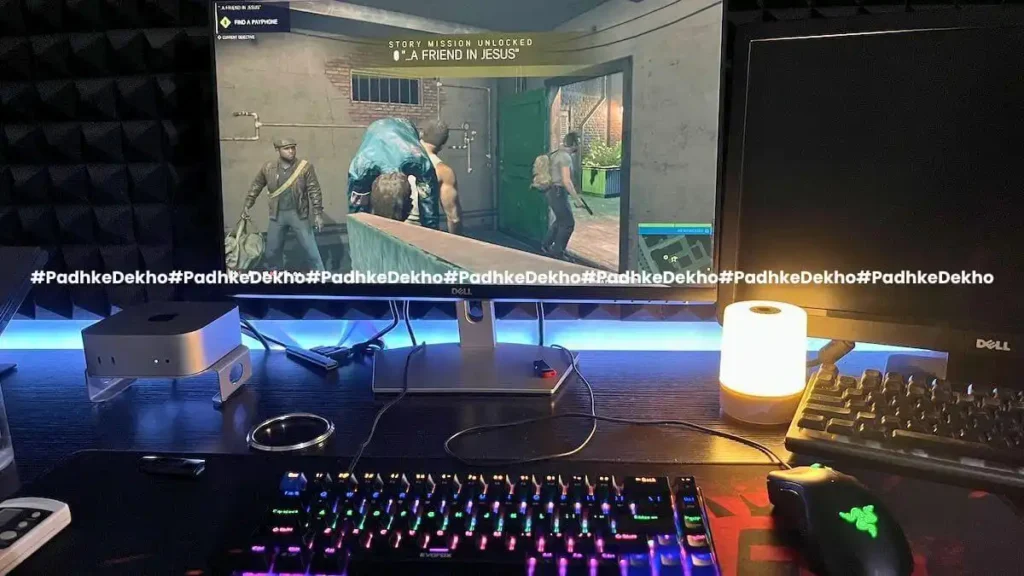
So, gaming! This is the area where I spend less time because of my daily work routine, but when I do, it’s mostly repeat gameplay of GTA-IV, GTA-SA, COD-5 World at War, Mafia 3, and it really feels better with this keyboard.
Since these do not force me to use the anti-gosting feature. Other than that, the keys are very soft and only need a direction. Longer sessions, like 3+ hours, are still very possible.
What are anti-ghosting keys? EvoFox Katana S comes with 68 anti-ghosting keys, which means keys can be pressed even when 3 keys are already being pressed. This is the section where membrane keyboards lack.
As I have tested on some modern games that require pressing the walking with the shift key, moving left or right using the A or D key, the character also has a special ability. So, for modern gaming, this keyboard delivers what you need.
Since I am a casual gamer, I am very satisfied with the gaming performance. The keys do not require much effort; the left CTRL or the Shift key never hinders my gaming experience.
Wrapping up!
Here you go, guys! This is the Evofox Katana S Mini review after 1 month of use. If you have any questions, feel free to comment or reach out to us on any social media account mentioned below.
Related Articles
- Portronics Bubble Keyboard Review! Can it Really Bear 3 Devices?
 A complete solution for multi-device connection under 1000 Rs. Here’s Portronics Bubble Keyboard Review after 1 month of use! Tap now!
 - TP Link AC750 Review [TP Link RE200 Review] | Worth it?TP-Link AC750 or TP-Link RE200 is a good dual-band WI-FI range extender. This TP Link AC750 Review has all the answers. Tap to know more.
- RAZER DeathAdder Essential Mouse Review | Segment’s Best?Under 2000 Rs, Razer’s entry-level mouse is a good option. We’ve tested it for 2 months and here’s RAZER DeathAdder Essential Mouse Review!
- TP-Link UB500 Review | TP-Link Bluetooth 5.0 Range + Others?Wondering how your PC supports wireless headphones? You need to read TP-Link UB500 Review. This cost less than a cheese burst pizza! Tap now!
- ANT ESPORTS MP400R Review | Best Budget RGB Mousepad?Best Budget Gaming Mousepad with RGB under 1000 Rs? Here’s ANT ESPORTS MP400R Review after 2 months of daily use! Tap now to learn more!
- EvoFox Katana S Mini Review [Wired] Shockingly Ecstatic But…Looking for a Mac layout mechanical keyboard under 2000 Rs? Then this wired keyboard is for you. Here’s Evofox Katana S Mini Review!
- HP 250 Wireless Mouse Review – Justifies The Price Tag?
 Are you considering HP 250 as your next wireless mouse? Then check out our HP 250 wireless mouse review to make a better choice! Click Now!
 - HP 250 vs Logitech M170 | Best Wireless Mouse For You?
 Are you confused between the Logitech M170 and the HP 250? Then do check out our HP 250 vs Logitech m170 comparison. Tap now & choose better!
 - Logitech M170 Review After 2 Years of Use | Worth it?
 Looking for the most durable wireless mouse for WFH? Then check out our 6-month review of Logitech M170 Wireless Optical Mouse Review!
 - Chevik MiniMount Review! Solves The Mini M4’s Biggest Issue?The Mac Mini M4 is the best Mini yet, with subpar power button placement. Chevik has a solution in this Chevik MiniMount Review! Tap now!