Under 1000 Rupees you can find many wireless mice from top brands like Dell, HP, Logitech, Lenovo, etc. But HP and Logitech are the most popular choices. For instance, on Flipkart, Logitech M170 has 4.5 ratings just like HP 250.
This was also one of the reasons I bought the Logitech M-170, 2 years ago. After using it for such a long time, I’ve also shared my 6 months review for it. Also, we bought an HP 250, which is also a wireless mouse (Review). In this article, I am doing an HP 250 vs Logitech M170 comparison to tell you which is the better deal.
Not only that but which one is ideal for what type of user? So without anything else, Welcome to PadhKeDekho, and let’s get started!
Update: Both mice are available at a huge discount on Amazon’s sale. Click now and check out the deals!
Hey There! Welcome to PadhkeDekho. Here we buy tech products and use them for at least a month before sharing the review of comparison. It gives readers like you insights that help you choose better.
As we are supported by the readers. Buying anything using the Amazon links will help us earn a little commission at no additional cost to you. This motivates us to do what we have been doing for the last 3 years. Thanks for the support.
HP 250 Vs Logitech M170 Differences
Features | HP 250 | Logitech M-170 |
Front Look | 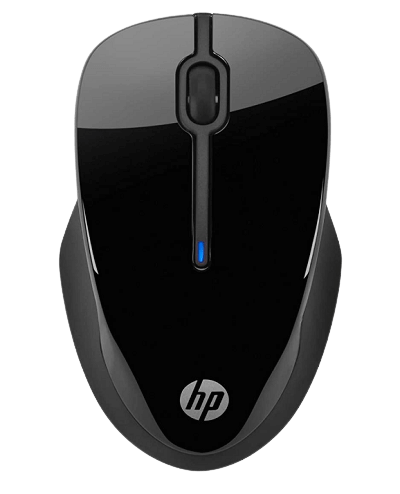 | 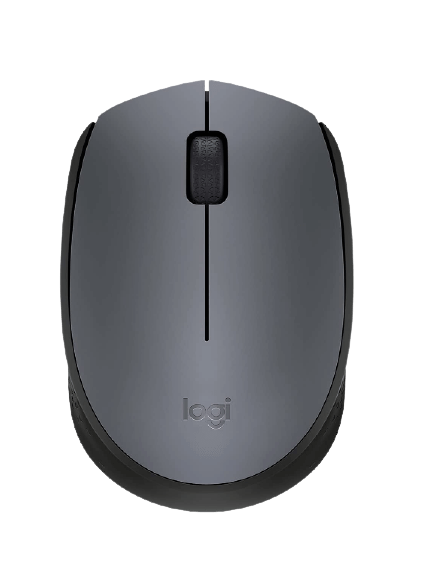 |
Size | Full Size | Compact Size |
Optical Laser | Blue | Invisible |
Adjustable DPI | Yes | No |
Our Rating | ||
Best Buy Links |
Which One Has Better Built Quality?
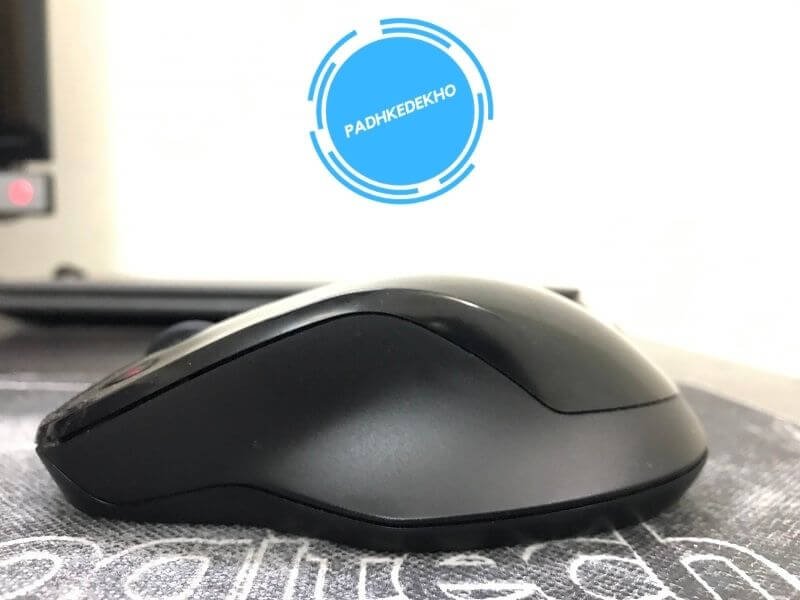
Both the mice are completely made up of plastic. But the quality of plastic is different. It is an HP 250 that has a better build. You will not find a single squeaking even when you press it very hard.
This is the second mouse from HP that I’ve owned and also used dozens in my college days so it goes in their tradition! With any HP mouse, you can be less worried about its quality.
It’s not like the Logitech 170 has a poor build. It’s just HP feels more solid in the hand. I’ve used the Logitech 170 for 6 months I never felt anything bad about the built quality.
But switching to HP has shown the difference. Considering a price difference of a few hundred rupees, unmistakably go with HP 250 if the built quality is your topmost priority.
Look and feel (Design)
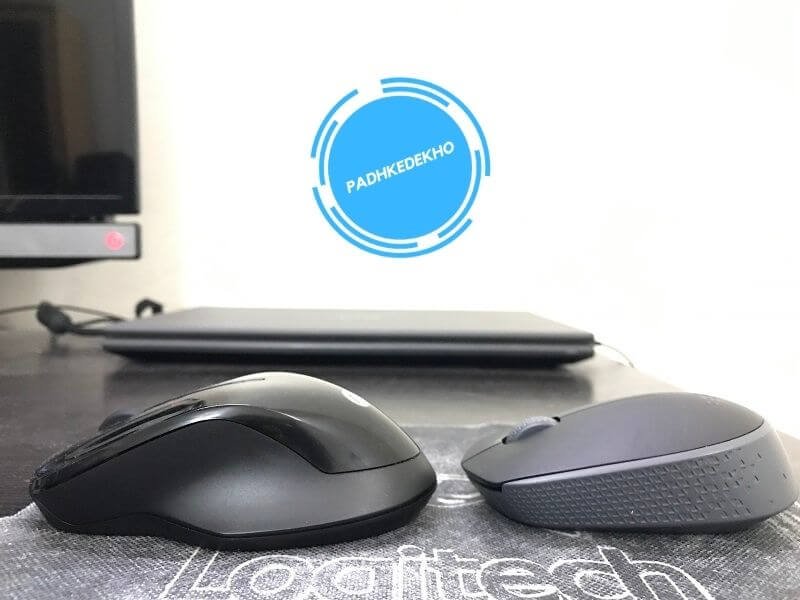
To be honest, in terms of design, Logitech M170 feels like a 20th-century mouse! Whereas, HP 250 seems like from the future! This futuristic look might have a love-it-or-hate-it kind of first impression. However, I loved the design of the HP 250.
Logitech M170 has a textured finish all around the sides except the area where your palm will rest. This texture helps to enhance the grip of the thumb, palm, and pinky finger. But here’s a thing you should know. If you have a small or medium hand size then it will be very comfortable. But it might not work its magic on large hands since it is a compact form factor mouse.
A regular mouse has an arc design however this one has a slanting curve. This slating curvature adds comfort while using it for an extended period of hours.
Whereas, HP 250 has an inward design on both sides. This inward design and full-size form factor take comfort to the next level. Your thumb, palm, and pinky finger will have the best comfort. I am writing this after using the mouse for more than 12 hours continuously, so you can understand!
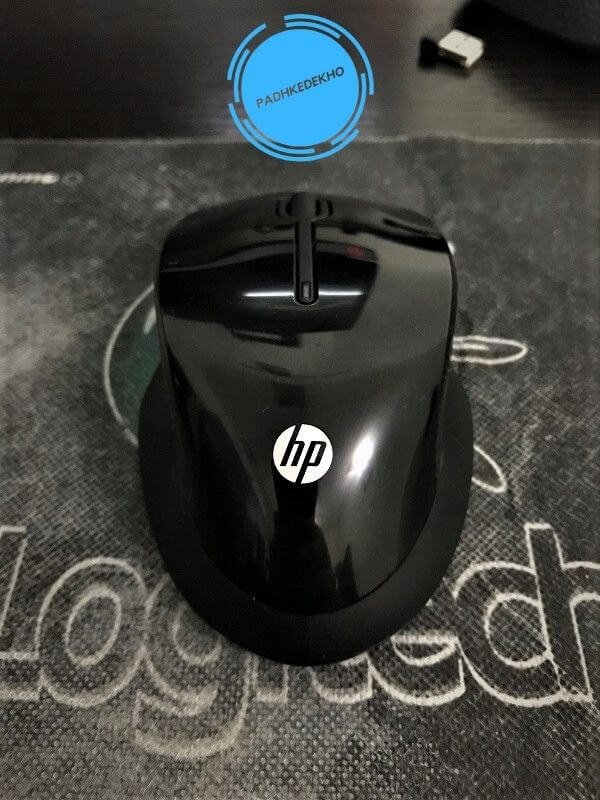
Now let’s talk about comfort in detail. Daily, I work around 12 hours and I had no issues using any of them for such extreme working hours. So who would not like being more comfortable? Therefore, it’s the HP 250 that is better than the Logitech M170 in terms of sheer comfort.
Usability
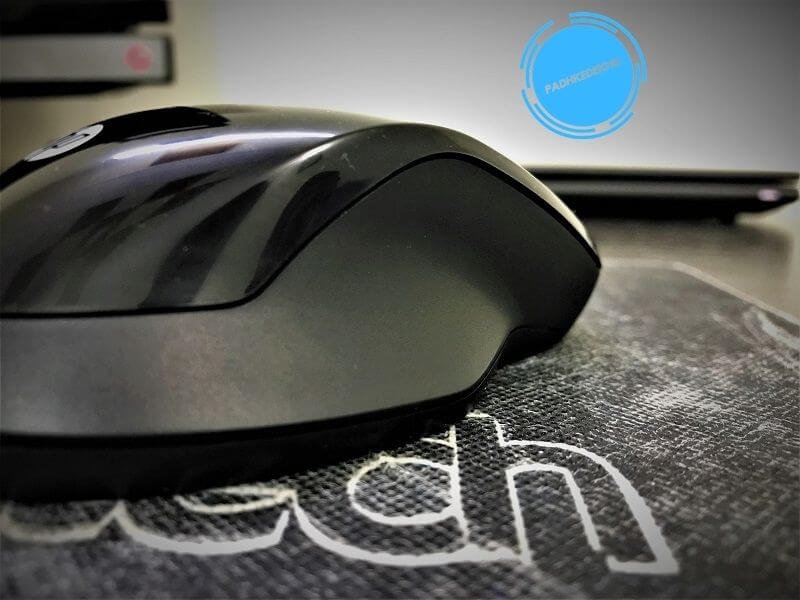
Both the mice have smooth and responsive buttons. Even the scroll wheel works well. So at this point, if you buy any of these you will not miss anything for basic tasks.
But if you need to take care of advanced photo editing software like Photoshop or gaming then HP 250 is going to be the one for you. Due to size, the HP 250 forms the best grip. Secondly, it supports 3 changeable dpi that allow even better and more accurate responses.
As far as the button’s click goes, the buttons are much silent on Logitech M170. Why? Because of the small form factor, the buttons have less travel. Whereas HP 250 is a full-size mouse so the clicks are prominent but it will not disturb you.
But if you are concerned about the click response then HP 250 is the clear winner. The clicks are instant. Certainly much faster than the Logitech M-170. Don’t get me wrong, Logitech is also fast but HP is way more swift.
Now about the scroll wheel. It is much smoother on Logitech. But there’s also one thing you should know. Do you work on spreadsheets Google Docs or any Word-based document? If yes then HP should have your eyeballs! Though it’s not smooth but is very accurate. Let me explain!
Let’s say you are working on a text document and your paragraph is 5 lines long. You need to reach line 5. So rotating the scroll wheel close to you will make it work easily.
But on Logitech M170 the scroll wheel works fast so you will cross line 5 or reach line 4 then use the arrow keys to navigate. So in terms of usability, it is an HP 250 any day! But now there’s practicality!
Practicality – Which Is Better On The Go?
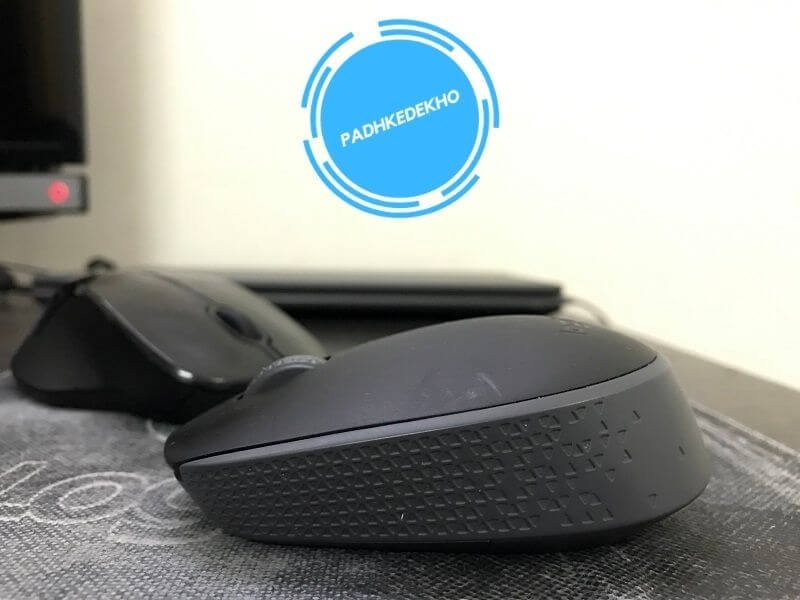
For the best on-the-go experience the mouse has to be tiny so it can be used on the train or flight table and also be lightweight when it’s in your backpack. Both the scenarios can be tick marked by Logitech M170.
Being an SUV, the HP 250 next to Logitech needs space! If you are on the go most of the time then Logitech M170 is better. But if you have a computer setup or have space for it to spread out then do grab the HP 250.
When I am on the go, I prefer using the trackpad of my laptop. So it doesn’t affect me that much. But it can be a deal maker or breaker for you.
HP 250 Vs Logitech M170 Which One Is Best For You?
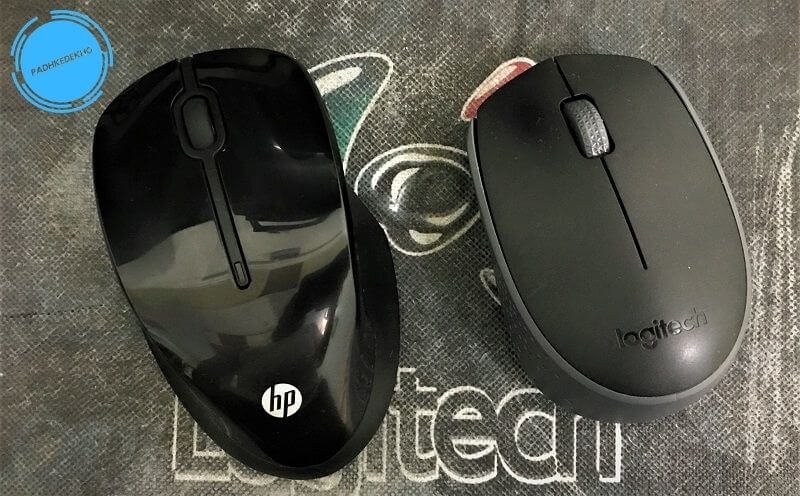
If you are looking for a small form factor and lightweight mouse for your needs be it indoors or on the go then Logitech M170 is the choice for you. Additionally, you will experience quite silent clicks and a smooth scroll wheel. In terms of laser optics, you get an invisible laser instead of red or blue. This helps if you work at night.
With HP 250, you get a bigger and more comfortable mouse. Secondly, there are 3 DPI to choose from and make your experience very smooth and fast. As far as the optic laser goes, on HP you get a blue laser instead of red or invisible.
In terms of grading from low cost to expensive, it is a red laser that is found on cheap mice. Invisible at moderate prices and blue for the expensive range. Then you get a faster click response so you can use it for your benefit while playing fast-paced shooter or racing games.
So with HP 250, you get so many special and practical upgrades for better and more efficient working. But in the end, it all depends on what you are looking for is it a compact form factor or changeable dpi and maximum comfort? For me though, it is HP 250 which checkmarks all the boxes.
But I will end with this. Logitech M170 and HP 250 are great wireless mouse choices below 1000 Rupees. Buying any of them and aiming to last a few years is not a difficult task. So all in all, that’s for sure both are great deals for the bucks you will be spending.
Wrapping up
Hey there, if we were of any help in your decision making then please use the below best buy links of Amazon and Flipkart. This not only motivates us to bring articles like this but also helps us to keep the website up and running at no cost to you!
Property | HP 250 | Logitech M170 |
| | |
Our Rating | ||
Best Buy Link |
This is it, guys! That’s our few cents on the HP 250 vs Logitech M170 comparison. If you found this helpful then do share it with friends and family so that they should also choose better!
Do you have doubts or have suggestions? Then do reach us at PadhKeDekho’s Twitter, Facebook, and Instagram, or comment below. We will get back to you as soon as possible!
Just like the above article, we share our 2 cents in the form of reviews, tips & tricks, comparisons, and opinions so do check out those articles. And if you liked the content do share it with your friends and family! Thanks, we will see you at the next one!
Suggested Articles!
- Portronics Bubble Keyboard Review! Can it Really Bear 3 Devices?
 A complete solution for multi-device connection under 1000 Rs. Here’s Portronics Bubble Keyboard Review after 1 month of use! Tap now!
 - TP Link AC750 Review [TP Link RE200 Review] | Worth it?TP-Link AC750 or TP-Link RE200 is a good dual-band WI-FI range extender. This TP Link AC750 Review has all the answers. Tap to know more.
- RAZER DeathAdder Essential Mouse Review | Segment’s Best?Under 2000 Rs, Razer’s entry-level mouse is a good option. We’ve tested it for 2 months and here’s RAZER DeathAdder Essential Mouse Review!
- TP-Link UB500 Review | TP-Link Bluetooth 5.0 Range + Others?Wondering how your PC supports wireless headphones? You need to read TP-Link UB500 Review. This cost less than a cheese burst pizza! Tap now!
- ANT ESPORTS MP400R Review | Best Budget RGB Mousepad?Best Budget Gaming Mousepad with RGB under 1000 Rs? Here’s ANT ESPORTS MP400R Review after 2 months of daily use! Tap now to learn more!
- EvoFox Katana S Mini Review [Wired] Shockingly Ecstatic But…Looking for a Mac layout mechanical keyboard under 2000 Rs? Then this wired keyboard is for you. Here’s Evofox Katana S Mini Review!