Apple Mac Mini M4 is a powerful computer, but Apple has put the power button on the bottom, which is inconvenient to operate. Chevik has a solution for it. Let’s talk about that in this Chevik MiniMount Review!
It’s not much, but you would always need to tilt the Mini to turn it on. To overcome this, here’s a stand that can help solves the biggest Mac Mini M4 problem!
Let’s begin the Chevik MiniMount For Mac Mini M4 Review.
Hey there! Welcome to PadhkeDekho, where we buy tech products, use them for a month before sharing the detailed reviews and comparisons.
This helps readers like you with insights that help choose a better product!
As a support to us, you can purchase the product via Amazon using the links on the blog. On a qualifying purchase we might earn a little commission at no additional cost to you.
With that said, let’s begin the Chevik MiniMount Review after 1 month of use.
Chevik MiniMount Review Pros and Cons
PROS
- Strong built quality
- Alumium body
- Anti-Skid grips are strong
- Mac Mini rests comfortably
- Power button placement issue fixed
- Improves audio quality
- improves air ventilation
- Helps to clean table easily
CONS
- Finish choul’ve have been better
Built Quality + Finish (4/5)

Mac Mini m4 is very lightweight, but it still needs a strong base to rest. I am happy to report that Chevik MiniMount offers good weight and holds the Mac Mini comfortably.
The overall built is alumium and it feels strong the oment you will hold it for the first time. It does not bend or squek when you try to twist or press wight.
The stand has two long legs that do not come with any anti-skid tape pre-applied. However, in the box, tapes are provided that you need to attach to the four corners of the two legs.
Once that is done, the stand DOES NOT MOVE AN INCH. Yes, I deliberately used caps on it because I have tested it!
The stand has a perfect fit for the Mac Mini m4, as you can see here. The fan housing rests comfortably without any obstruction to the heat outlet. Similarly, Mac Mini M4 rests perfectly on the stand.
5/5 for the build and quality. The fit and finish of the stand is almost quite good.
However, I have taken back 1 mark as the fit and finish near the power button is not well done. Maybe the brand can take this feedback and improve it in the future varients?
Looks (5/5)
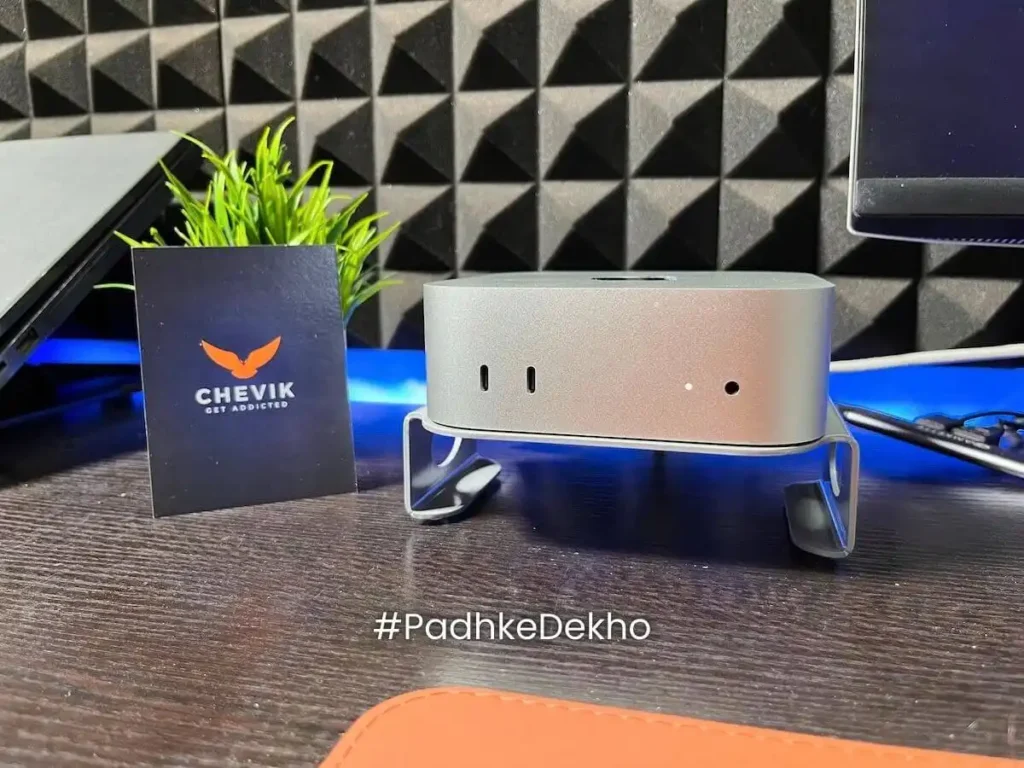
Let’s talk about the color. It’s slightly lighter than the Mac Mini, and overall they go good together. Since the case raises the Mini, it is now more visible on the table than resting on the table, which is good.
Recently, black color is also introduced that you can check here. So, if you want to add some contrast then you can check out the Black one too.
There are no grab hands but the sides have this oval cutout that helps to pick the stand along with the Mini. The fit and finish is better on the cutouts.
The similar color is shown through the tiny windows!
To sum up, Chevik was very close to creating a similar color, and they did a good job. It’s also available in black color too!
After a time, you will not even notice it that much. Because there’s so much more than looks. Let’s takl about features.
Features (4.5/5)
#1 Power button cutout: That’s the reason you must buy this stand as it solves the biggest Mac Mini M4 problem! No more tilting the Mac Mini to turn it on!
#2 Better cooling: Since the Mac Mini will be placed a little higher from the table it gives more breathing room. Though there are no significant tests or results but this should better heat disbursement.
#3 Better audio output: Keeping the Mac Mini on the table or keeping at a height does help in better speaker output.
#4 Effortless Access to ports: Since, it is just a stand, it does not disrupt the ports access. You can access all the ports just as you would do without the Mac stand.
#5 Easy to Clean: Cleaning underneath the Mac Mini is quite convenient now as Mac Mini will be at a height you can clean the table without moving or disconnecting the cables.
User Experience (4/5)
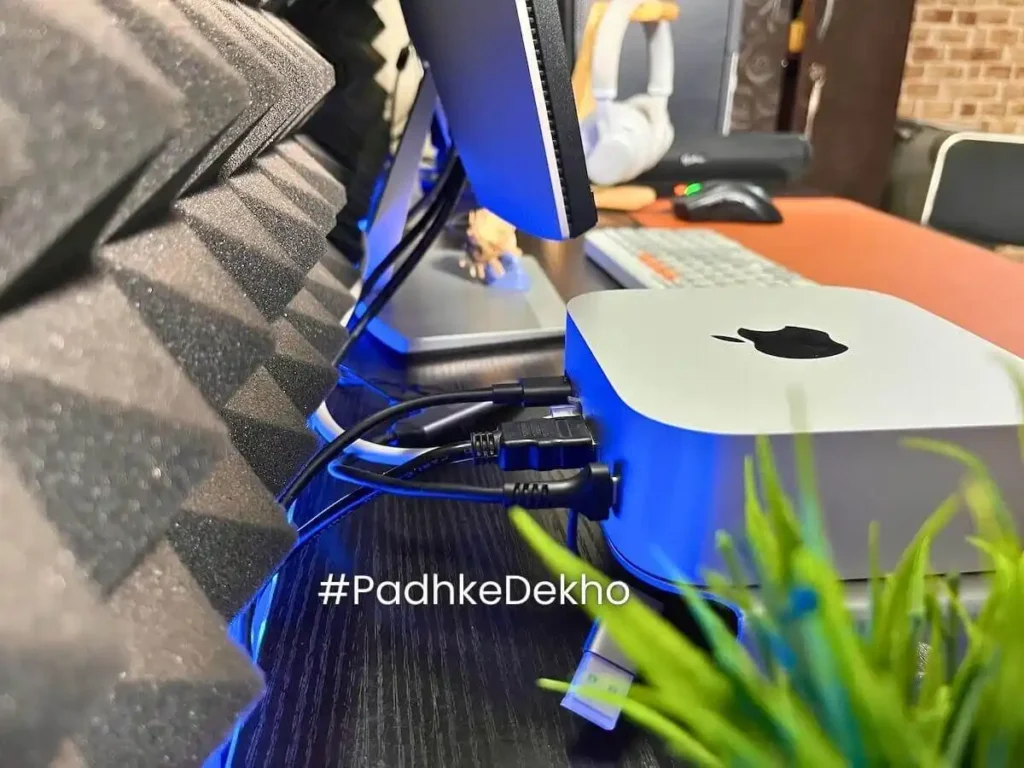
Buying Mac Mini M4 was on the cards but the power button placement always haunted me. Because, tilting or picking the Mini up and then pressing the button was not convenient.
As a result I started letting it sleep more and use as needed.
So, when I got to know about Chevik MiniMount I bought it and I am quite happy with the decision.
First, the main problem with the power button is now solved. Just press the button and it turns on. No more tilting like the old Bajaj or LML scooters!
Secondly, since the Mac Mini is in the air, cleaning the table from below or keeping some urgent notes is also quite convenient.
This height gain will also improve air movement. Ultimately, Mini will run cooler! Not just that, the speaker volume has also increased a bit.
Now to the main part, the Mac Mini “only rests” on the stand. The stand is just keeping the Mini on “top”; it’s “not holding” it. So, if you move the Mac Mini, it will move, but moving the stand requires some force
The only negative i found about Chevik MiniMount is the fit and finish near the power button as you can see here.
Since you have to guess the power button on the top left corner, you will unintentionally feel that little roughness there.
That could’ve been done better. So, I can’t give 5/5 to fit and finish.
With time you will understand the placement though. Otherwise, it’s a perfect stand for the Mac Mini M4 to solve its biggest problem.
Wrapping up!
There you have it, here’s Chevik MiniMount Review after 1 month of testing. if you have any quesiton feel free to ping on any social account below. we would love to help!
Related Articles
- OnePlus Nord Buds 3r Review | Really 2r Upgrade?
 Here’s the OnePlus Nord buds 3r review after 1 month of daily testing. It does many things right except one! Tap now to learn more.
 - Moto G96 Long Term Review! Really Special or Hyped? 15 Points!I’ve been using the Moto G96 for 5 months, and it’s something shocking. This Moto G96 Long Term Review talks about 15 things! Tap now!
- OnePlus Nord Buds 2R VS OnePlus Nord Buds 3 Which is Better?Confused between OnePlus Nord Buds 2R VS OnePlus Nord Buds 3? Here’s a detailed comparison after 4 months of use. Tap now to learn more!
- OnePlus Nord Buds 2R Review || Worthy of The Hype in 2026?Looking for the best sounding earbuds under 2000 Rs? You cannot skip this! Here’s the OnePlus Nord Buds 2R Review after 1 month of testing. Tap now!
- Best TWS Earbuds Under 1000 Rs || Tried & Tested 2026!Who says there are no good earbuds below 1000 Rs? Here are the 5 best tws earbuds under 1000 Rs that we’ve owned. Tap now to learn more!